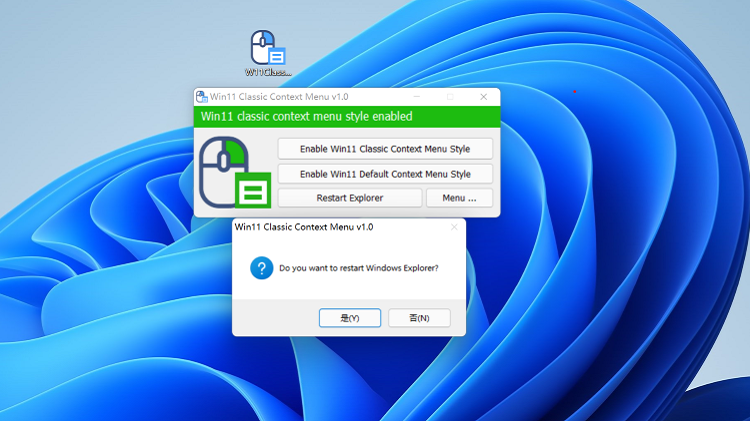
首页 › 热门资源 Windows 11 恢复到 win10的右键经典菜单 【Windows 11 Classic Context Menu v1.0】 2021-10-28 3 次阅读 会员专享     官网下载地址:https://www.sordum.org/14479/windows-11-classic-context-menu-v1-0/ 直接按零度视频演示的操作即可:https://www.lingdu80.com/2382.html 如果你需要修改更多额外的功能,那么你可以接着往下看: 如果您想从 Windows 11 上下文菜单中删除“显示更多选项”条目并恢复 Windows 11 中的经典右键单击菜单,您可以使用以下注册表项。 通过注册表在 Windows 11 中恢复完整的右键单击上下文菜单 Windows 注册表编辑器 5.00 版 [HKEY_CURRENT_USER\Software\Classes\CLSID\{86ca1aa0-34aa-4e8b-a509-50c905bae2a2}\InprocServer32] @=”” 通过注册表获取默认的 Windows 11 上下文菜单 Windows 注册表编辑器 5.00 版 [-HKEY_CURRENT_USER\Software\Cla... 🔒 登录后继续阅读 登录账号即可免费阅读本文 立即登录 还没账户? 注册 相关推荐 暗网到底藏了什么?普通人第一次进去会看到什么?暗网入口及搭建!完整揭秘|零度解说 2026-01-03 15 Qwen-Image 最新版正式开源!不限速不限词,本地生成更真实,实力对标 Z-Image!附本地部署教程 2026-01-01 21 彻底解除封印!SSD 硬盘速度提升 45%!只需 3 个命令,让电脑起飞! 2025-12-30 9 3 条命令解锁 SSD 隐藏性能!实测提速 45%,Windows 立刻起飞 2025-12-30 9